

A comment section that pays its way
Afterword puts a moderated comment section on your articles and sells labelled ad space inside it. It is free to add, and you keep 70–80% of what it earns.

The Daily Specimen
Council backs harbour tunnel toll after six-hour debate
By Hannah Reyes · 13 comments
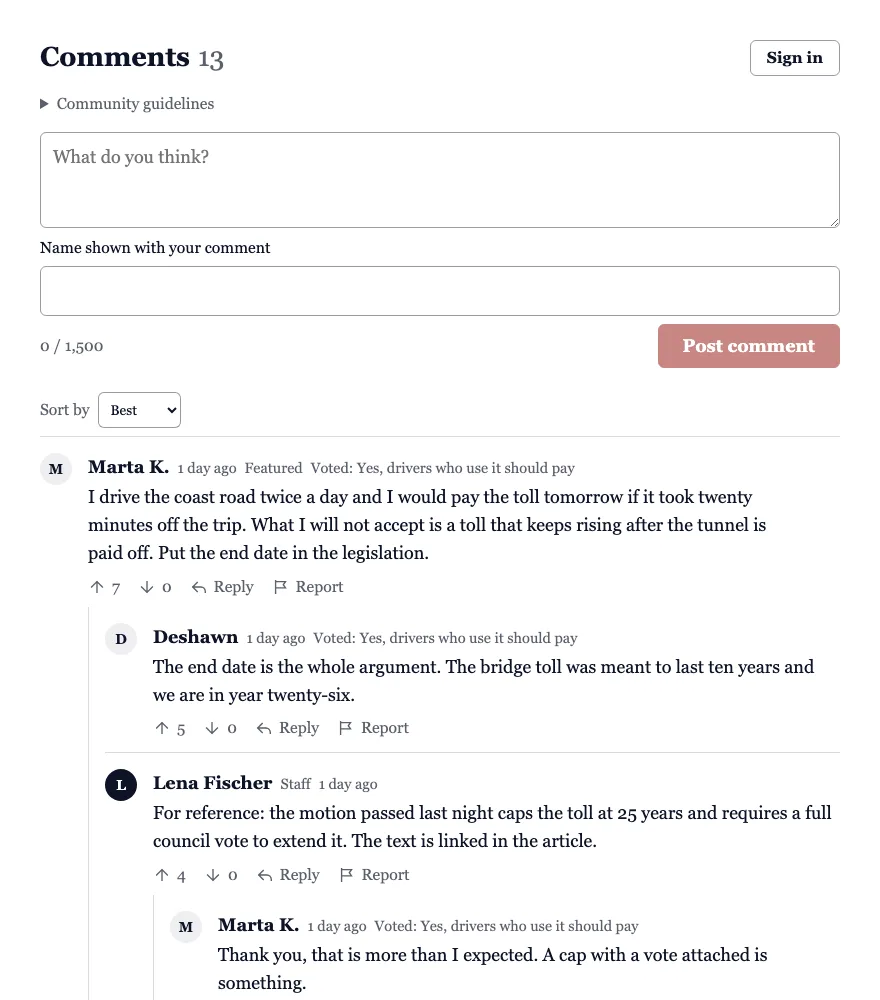
Comments
Deshawn The end date is the whole argument.
Advertisement

Walking routes drawn by people who walked them
Fieldnote Maps Browse routes
Lena Fischer The motion caps the toll at 25 years and needs a full council vote to extend it.
The thread
What it does for your site
Readers get a proper thread under the article: replies, likes, live updates, and a notice when someone answers them.
You get the conversation on your own pages, with the moderating done for you and your team free to overrule it.
- Takes the typeface and colours of your page, light or dark
- Shows how a commenter voted in the article's poll
- Updates as new comments arrive, without a reload
How it earns
Labelled ads between comments
Labelled ads sit between comments, at an interval you set, with a cap on how many appear in one thread. They are sold by auction and you set the floor price.
Your console shows what the thread earned each day, our share and your net. Colophon keeps 20–30%. You keep the rest, and you can switch the ads off.
See how pricing works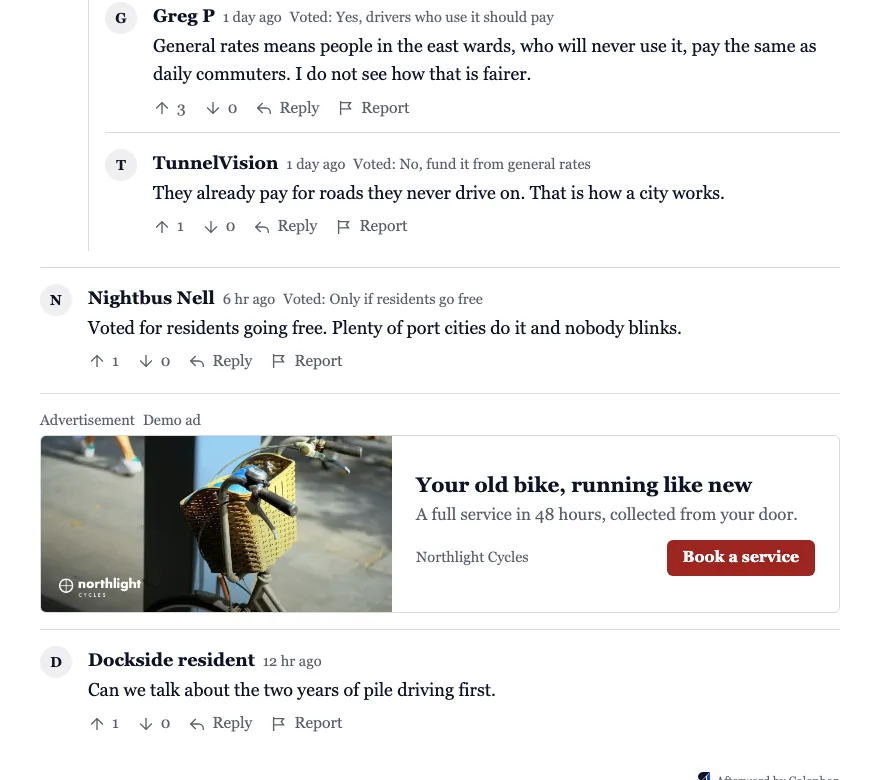
Moderation
Moderation that explains itself
Your rules check every comment first. Then our own model reads it with the headline and the comment it answers, and its decision stands. A comment it is unsure of gets a second review; anything still in doubt waits for your moderators, who can overrule any decision.
Why we show the reason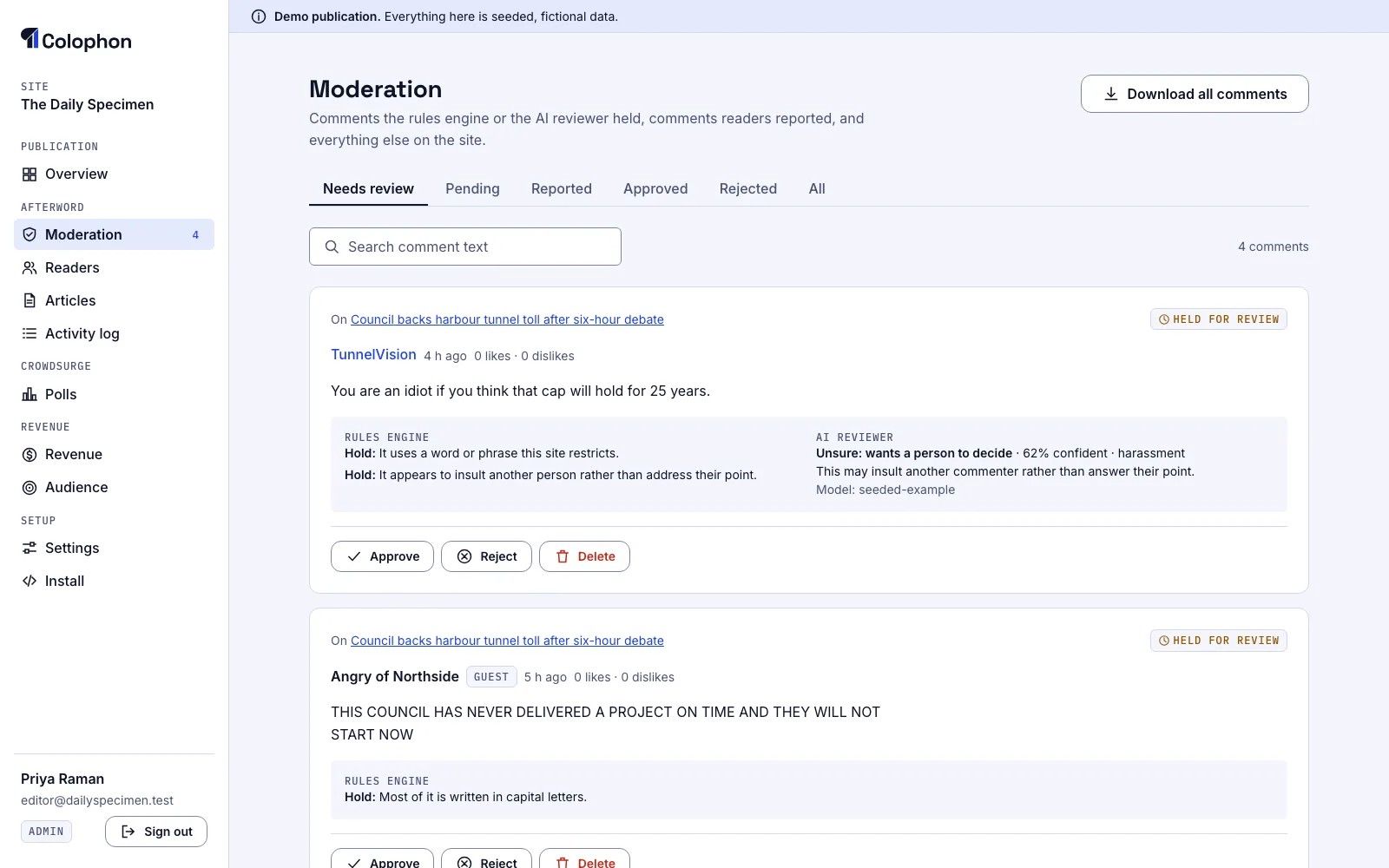
Sign-in
Sign-in when you want it
Let guests comment under a name, offer accounts, or pass in readers who are already signed in to your site. Requiring sign-in is one switch.
Using that sign-in to make ads addressable is a second switch, off by default, and it asks the reader first.
Should readers sign in?
Also included
Two smaller units, no extra tag
Frontlist
A short list of the stories your readers are discussing most, for a sidebar or the foot of an article. It is drawn from the comment counts Afterword already keeps, and it can carry one labelled sponsored row.
Pull Quote
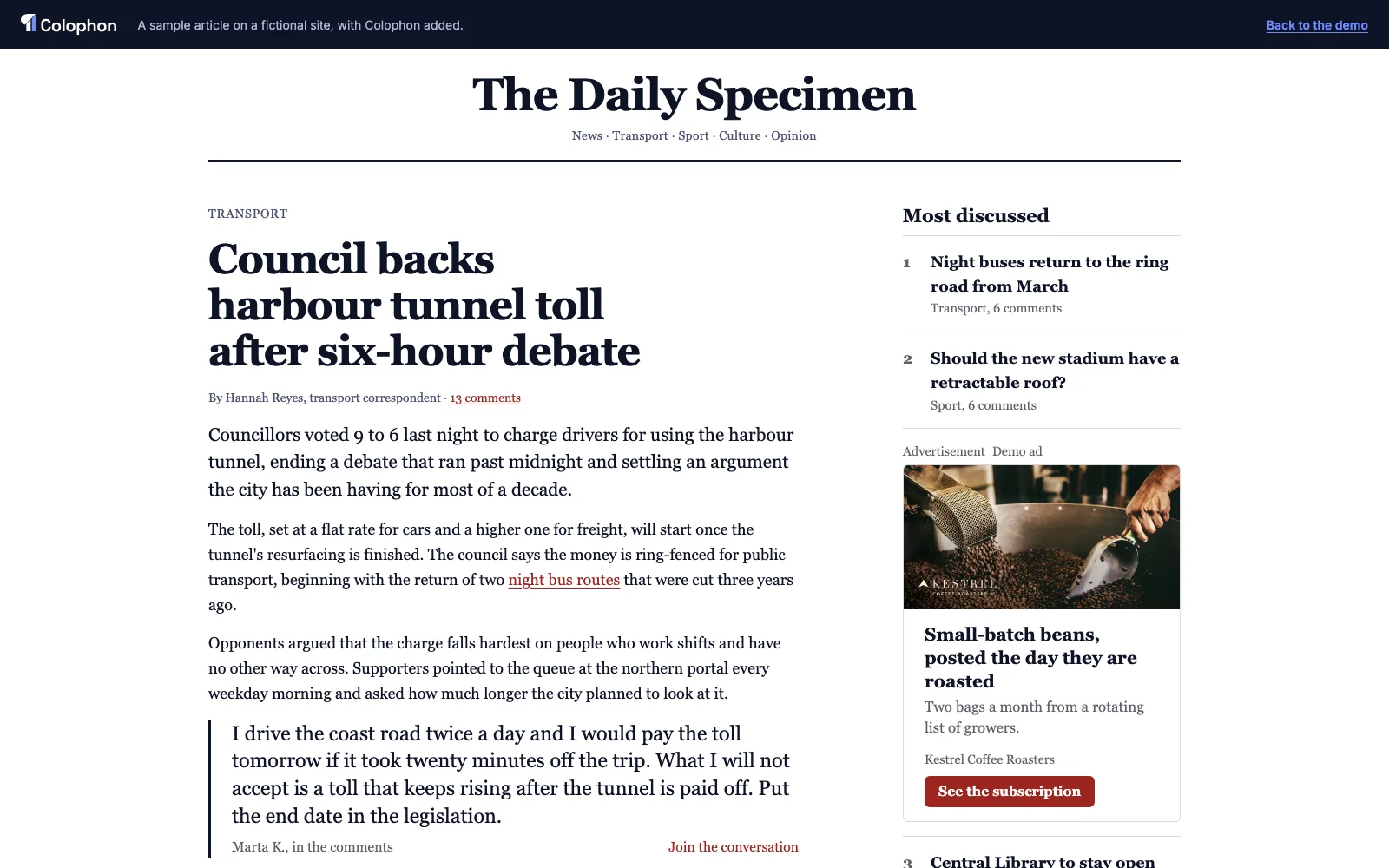
Pick one published comment and set it as a quotation anywhere in an article, with a link that takes the reader down to the thread.
Our own model
Our AI moderator is proprietary
… and knows an argument from an attack. Afterword’s AI reviewer was built in-house at Colophon — and we open sourced it! It catches the spam and personal details other tools miss, and it leaves a heated argument alone.
-
91%
of heated but fair comments published. OpenAI’s moderation model published 32%.
-
92%
of spam caught. OpenAI’s caught 2%.
-
97%
of posted personal details caught. OpenAI’s caught 2%.
- Afterword reviewer 86
- KoalaAI Text-Moderation 62
- OpenAI omni-moderation 61
- Horizon-Labs content-safety-guard 58
- IBM Granite Guardian HAP 56
- Detoxify 54
-
It lets your readers argue
Calling the minister a clown is comment. Calling the reader above you a clown is not. It knows the difference.
-
It reads the thread
The same words can be harmless under one comment and a threat under another. It reads the headline and the comment being replied to before it decides.
-
It runs on every comment
32 million parameters and 128 MB. About nine milliseconds a comment on one ordinary processor core, with no graphics card.
-
It asks when it is unsure
A comment it cannot call goes to a second reviewer, and anything still in doubt waits for your moderators, who can overrule it at any time.
We have open sourced it
The model’s weights and its model card are on Hugging Face. Run it on your own machine, try it on your own comments, and check our numbers.
Get the model on Hugging FaceNext
A larger model is coming
This is the small one, sized to run on every comment. A larger variant is on the way.
Questions
Questions about Afterword
Can guests comment without an account?
If you allow it. One switch in your settings lets guests comment under a name or requires an account, and it applies to the whole site.
What happens to a comment that breaks the rules?
It is held or rejected, and its author is told why. Three rejections in a row lead to a day’s suspension, unless you change that number.
How often do ads appear in the thread?
At an interval you set, with a cap on how many appear in one thread. You also set the floor price, and you can switch the ads off.
Can readers use the accounts they already have with us?
Yes. Your server signs a short-lived token for a reader who is signed in to your site, and the page hands it to Afterword. The developer guide has the code.
Can I get my comments out?
Yes. The moderation page of your console has a download of every comment on the site.
Set-up
How you add it
One script in your page template, then one element where the comments should appear. Your site key comes from the console.
<script async src="https://api.colophondigital.com/embed/colophon.js"
data-site="YOUR_SITE_KEY"></script><div data-colophon="afterword"
data-article-id="harbour-tunnel-vote"
data-article-section="Transport"
data-article-tags="transport,harbour tunnel,council"></div>Or have your coding agent add it
Paste this into the agent that works on your site's code, with your own site key in place of
YOUR_SITE_KEY. It points the agent to our plain-text guide, and
asks it to show you the change before anything goes live.
Add Colophon's comment section (Afterword) to this website.

Site key: YOUR_SITE_KEY
Full instructions, written for you: https://colophondigital.com/install.md

1. In the template that every article page shares, load the script once:
   <script async src="https://api.colophondigital.com/embed/colophon.js" data-site="YOUR_SITE_KEY"></script>
2. In the article template, straight after the article body, add the comment section:
   <div data-colophon="afterword" data-article-id="ARTICLE_ID"></div>
   Fill ARTICLE_ID from the CMS's permanent id for the article, never its URL or headline.
3. Leave the elements unstyled and outside any iframe. They take their typeface and colours from the page.
4. If the site sends a Content-Security-Policy, allow https://api.colophondigital.com in script-src, connect-src and img-src.
5. Show me the diff and one article URL where I can check it. Do not deploy.
Start with one article
Tell us about your site and we will set you up with a key. Adding Colophon for real is one script tag.
Marta K. I would pay the toll tomorrow if it took twenty minutes off the trip.