

Polls that pay
CrowdSurge puts polls inside your articles. Each vote is followed by one labelled ad, and sponsored research polls pay for every response. It is free to add, and you keep 70–80% of what it earns.

The Daily Specimen
Council backs harbour tunnel toll after six-hour debate
By Hannah Reyes · 13 comments
Councillors voted 9 to 6 last night to charge drivers for using the harbour tunnel.
Is a toll the right way to pay for the tunnel?
Advertisement

Walking routes drawn by people who walked them
Fieldnote Maps Browse routes
Formats
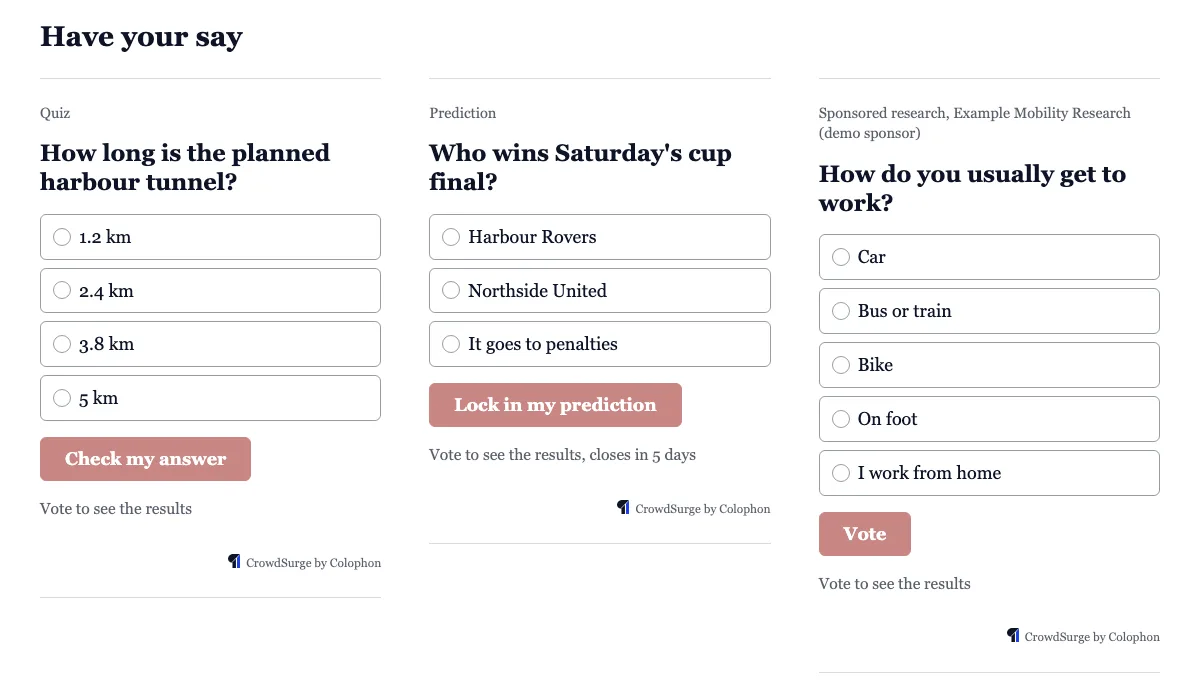
Five kinds of question
Readers answer a question about the story in front of them and see where everyone else stands.
You get something for them to do halfway down the page, and a link that hands voters on to the comment thread when they have more to say.
- Single choice: one answer per reader
- Pick several: more than one answer
- Reaction: one tap, no Vote button
- Quiz: a question with a right answer
- Prediction: locks at a deadline and is settled afterwards
How it earns
One labelled ad after each vote
After a reader votes, one labelled ad appears beneath the results. It is the only ad the poll carries.
Colophon keeps 20–30% of what it earns. You keep the rest, and you can switch it off.
See how pricing works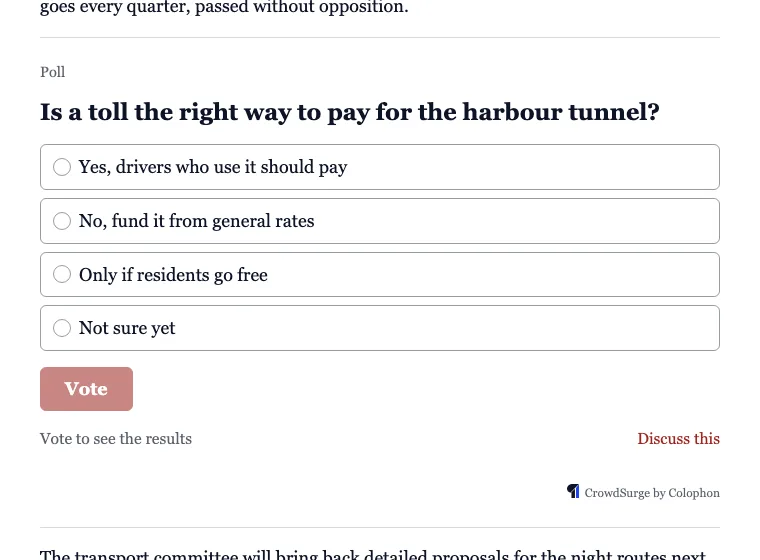
Sponsored research
Research polls that pay for each answer
Sponsored research is a second source of revenue. A sponsor pays for each completed response, and the poll carries the sponsor’s name so readers know who is asking.
It shares the same 70–80% split, it is labelled as sponsored, and it is yours to switch on or leave off.
Your console
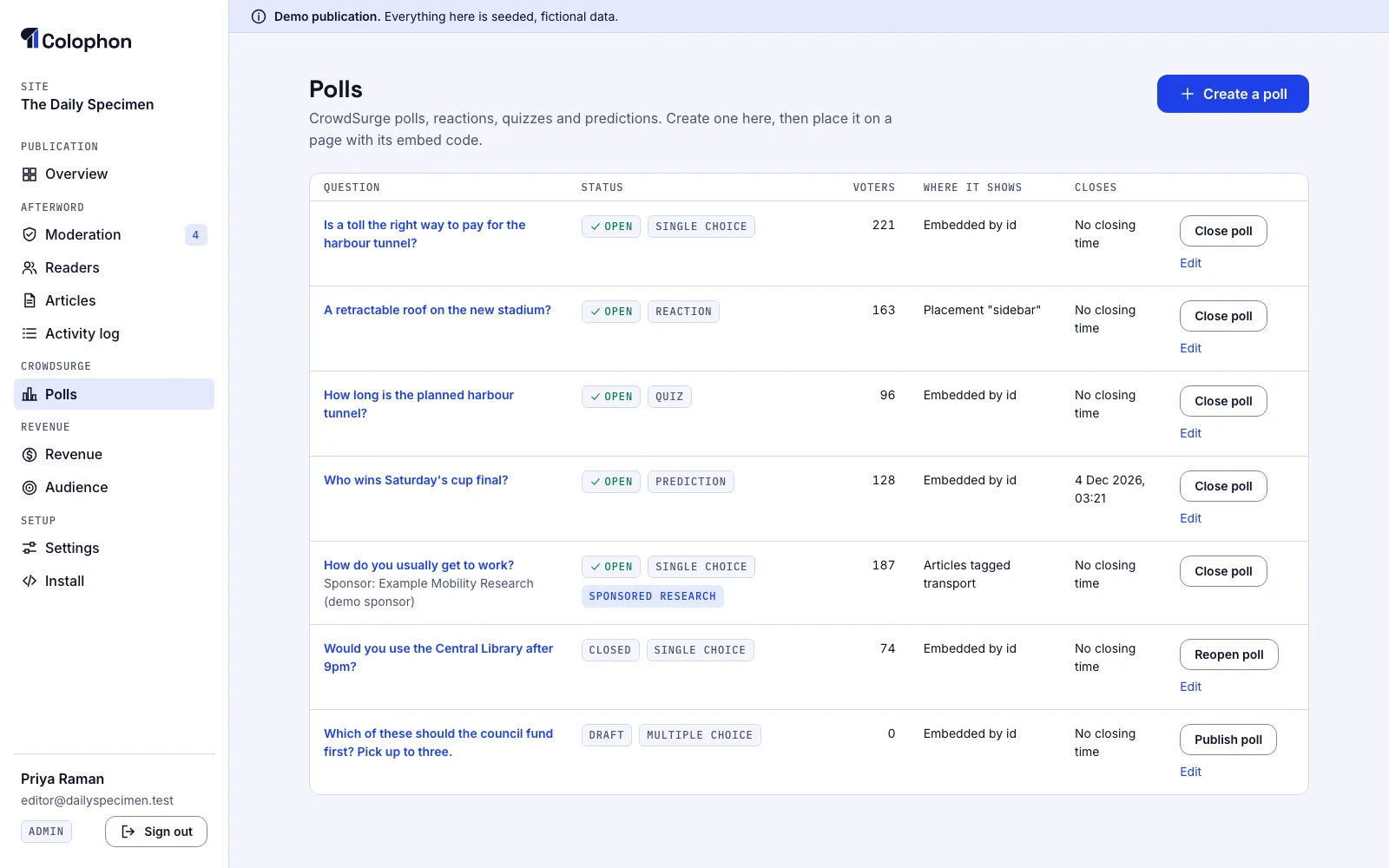
Results you can use
Results update as votes arrive. You write each poll in the console and choose when it opens and closes.
Split results by signed-in and anonymous readers and by section, and download them as a spreadsheet.
Questions
Questions about CrowdSurge
Do readers need an account to vote?
No. Readers vote without signing in, one vote per browser. If a question matters enough, you can require sign-in for that poll.
Who writes the questions?
You do, in the console. You choose the format and when the poll opens and closes. A sponsored research poll is written with its sponsor and carries the sponsor’s name.
How does a poll get onto an article?
Either name the poll in the element, or name a placement and let the console decide which poll fills it, by placement or by matching the article’s tags.
Can I see who voted for what?
You see totals, not individuals. In the console you can split results by signed-in and anonymous readers and by section, and download them as a spreadsheet.
Can I switch the ad after a vote off?
Yes. The ad after a vote and sponsored research are separate switches, and either can be off.
Set-up
How you add it
With the Colophon script already on the page, a poll is one element. Name the poll, or name a placement and let the console decide which poll fills it.
<div data-colophon="crowdsurge" data-poll="poll_tunnel_toll"></div>

<!-- Picks a live poll by placement, or by matching article tags -->
<div data-colophon="crowdsurge" data-placement="sidebar"></div>Or have your coding agent add it
Paste this into the agent that works on your site's code, with your own site key in place of
YOUR_SITE_KEY. It points the agent to our plain-text guide, and
asks it to show you the change before anything goes live.
Add a Colophon poll (CrowdSurge) to this website.

Site key: YOUR_SITE_KEY
Full instructions, written for you: https://colophondigital.com/install.md

1. In the template that every article page shares, load the script once:
   <script async src="https://api.colophondigital.com/embed/colophon.js" data-site="YOUR_SITE_KEY"></script>
2. Where a poll should appear in the article, add:
   <div data-colophon="crowdsurge" data-placement="article"></div>
   The console decides which poll fills the "article" placement. To pin one poll instead, use data-poll="POLL_ID".
3. Leave the elements unstyled and outside any iframe. They take their typeface and colours from the page.
4. If the site sends a Content-Security-Policy, allow https://api.colophondigital.com in script-src, connect-src and img-src.
5. Show me the diff and one article URL where I can check it. Do not deploy.
Start with one article
Tell us about your site and we will set you up with a key. Adding Colophon for real is one script tag.
Lena Fischer The motion caps the toll at 25 years and needs a full council vote to extend it.